Approvals & e-signatures
The right person approves, and signs, every time
Set who approves what and from which amount. Bills, vouchers, purchase requests and orders wait for each step, carry the approver's signature, and post only after the last approval.
Capabilities
Everything included in Approvals & e-signatures
Approval workflows
Rules by document type and amount.
- Sequential steps by person or role
- Different rules from different amounts
- Item invoices and vouchers included
Approve on any device
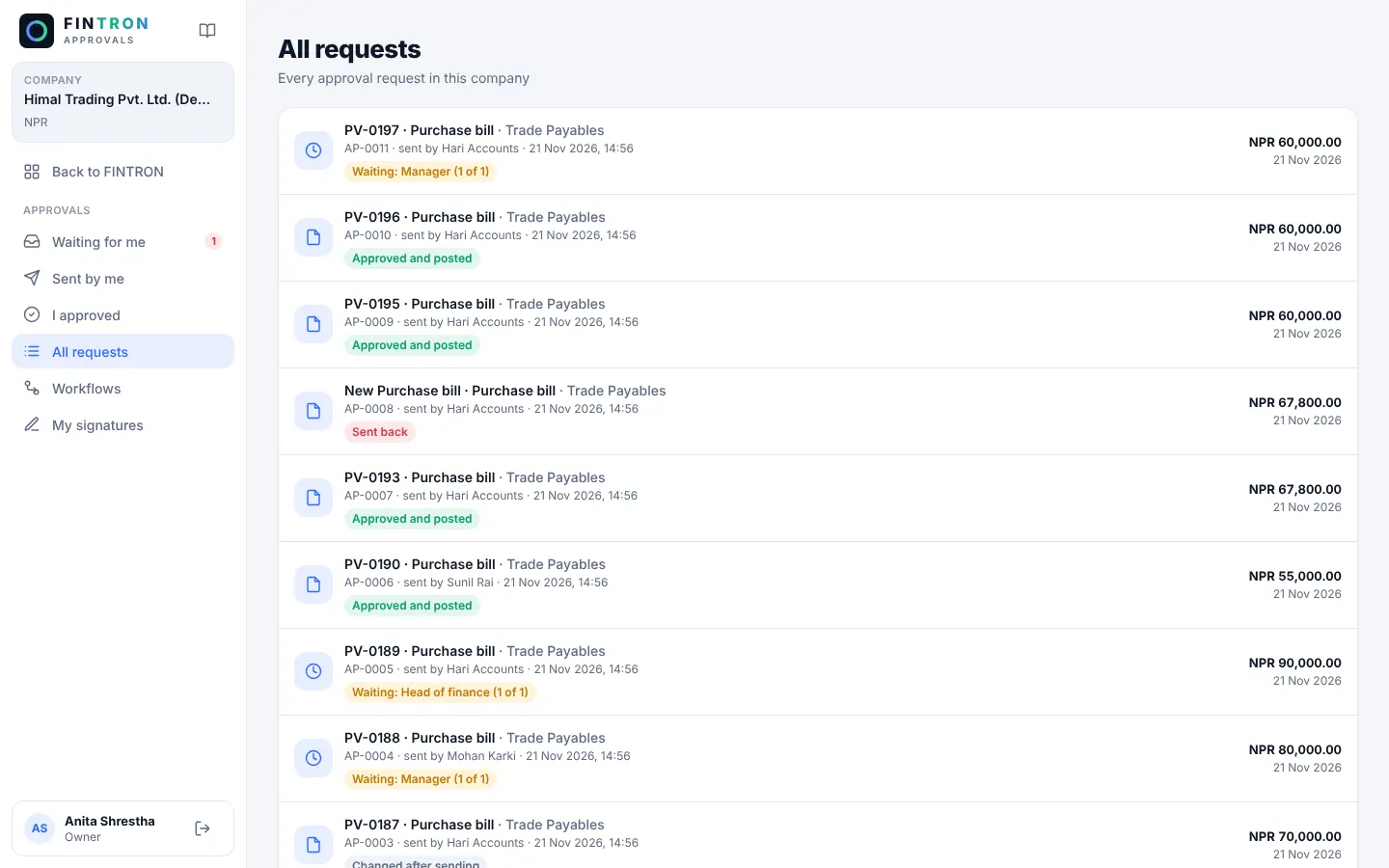
One list of what is waiting for you.
- Waiting for me, sent by me, done
- Approve, send back or reject
- Comments on every step
E-signatures
Every approval carries a signature.
- Draw, upload a photo, or type your name
- A default signature, changeable each time
- Signature printed on the document
Send back to change
A sent-back document is easy to fix.
- The maker sees why it came back
- Change and send again in one step
- The old version stays in history
Discount limits
Sales discounts stay within policy.
- Maximum discount per role
- Above the limit needs approval
- Checked on invoices and orders
Full audit trail
Who approved what, when, with which signature.
- Every action recorded
- Visible to auditors
- Cannot be edited afterwards
E-signatures
A signature that is quick to give and hard to dispute
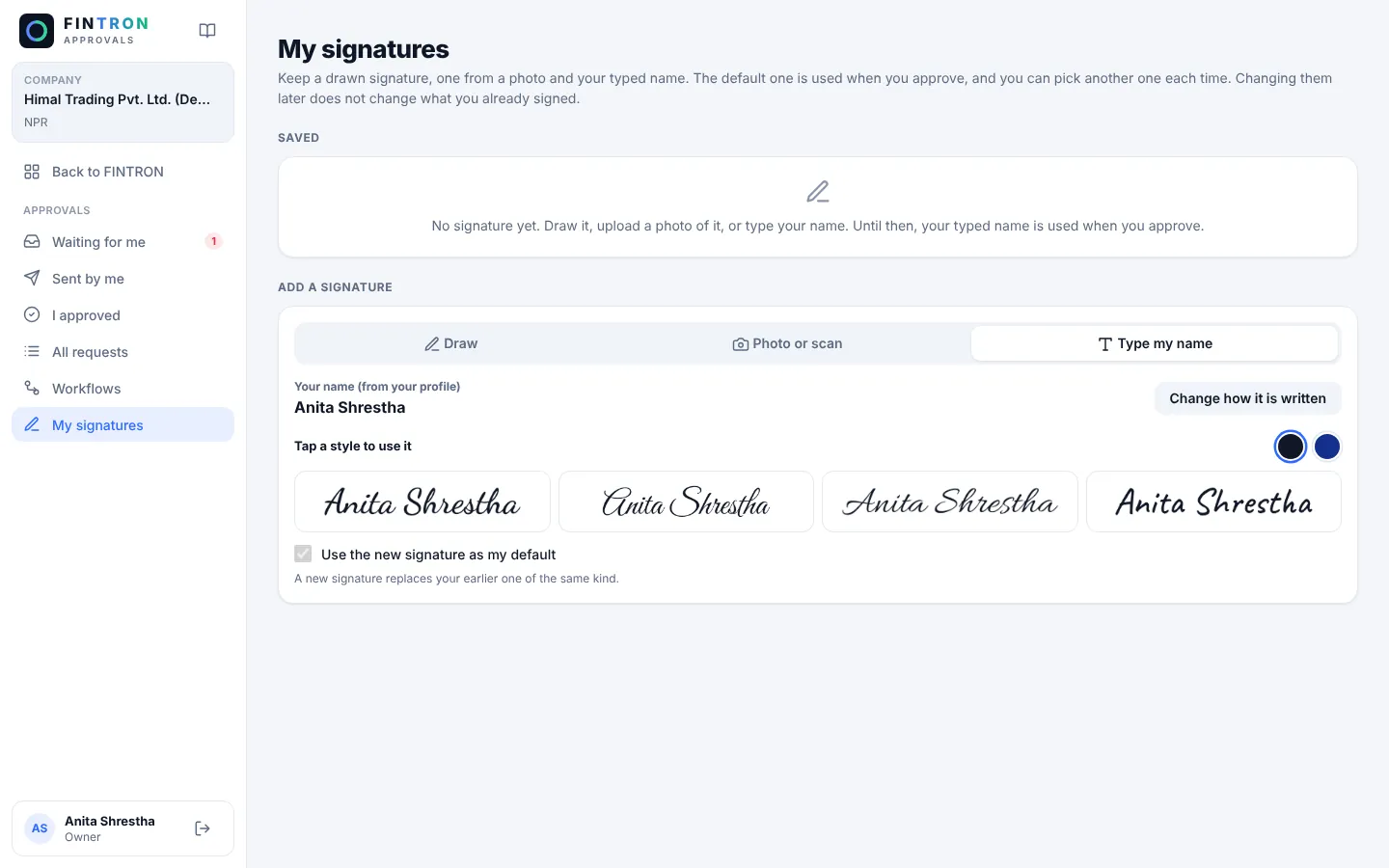
Each person keeps their own signatures: drawn with a finger or mouse, a photo of their signature on paper, or their name typed in a handwriting style. The default one is used when they approve.
- Typed signatures in four handwriting styles
- Pick another signature for one approval
- Changing a signature never changes past documents
How an approval flows
- 1
Create
A bill, voucher or request is saved.
- 2
Route
FINTRON sends it to the right approver by type and amount.
- 3
Approve and sign
Each step approves with a signature, or sends it back.
- 4
Post
After the last approval it posts to the books by itself.
Business benefits
- No large payment without approval
- Faster approvals from phone or desktop
- Signed records auditors accept
- Policies applied the same way every time
Approval questions
Can't find your answer? Contact our team.
Which documents can need approval?
Vouchers such as payments, receipts and journals, sales and purchase bills including item invoices, and in Procurement: purchase requests, vendors and orders.
What if someone has no signature saved?
Their name from their profile is used as a typed signature, so approvals never get stuck.
Can one person approve their own request?
Not by default. An admin can allow it in the procurement settings for small teams.
Put approvals on autopilot
Start a free trial and set up your first approval rule in minutes.